Off-the-shelf where it fits, custom-engineered where it doesn't. Here's some of what we build.
Bring a DALI line online quickly — from software or in your hand. Use our Spektra+ platform to discover, address, group and set scenes over the network, or commission on the spot with the handheld ADDICT tool. Need more than a single line? We can engineer the whole project for you.
Sizing a board yourself? Try our free Switchboard Designer and LED Driver Calculator.
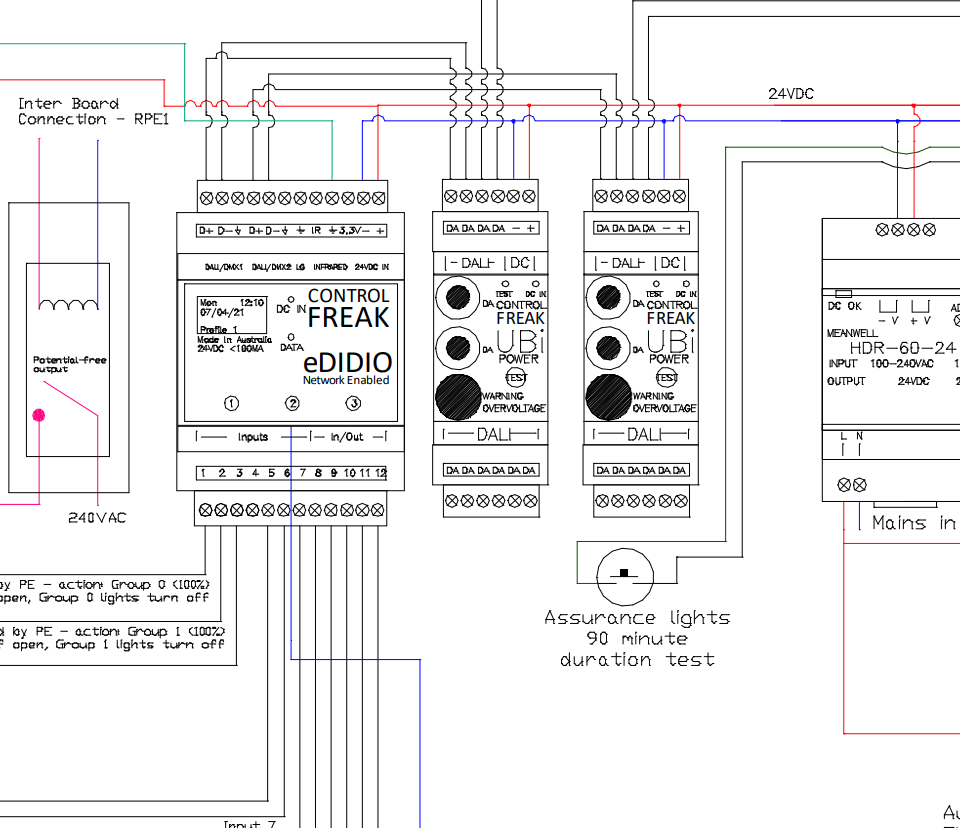
Because our controllers are open protocol, we can bridge almost anything to anything. A selection:
DALI is not a product — it's an open protocol based on IEC 62386, an international standard for the digital control of lighting and other electrical devices. Digital Addressable Lighting Interface enables seamless interoperability across any manufacturer's compliant products.
We released the ADDICT tool in 2004 with an innovative binary-search algorithm for addressing devices — still one of the fastest, most reliable ways to bring a DALI line online.
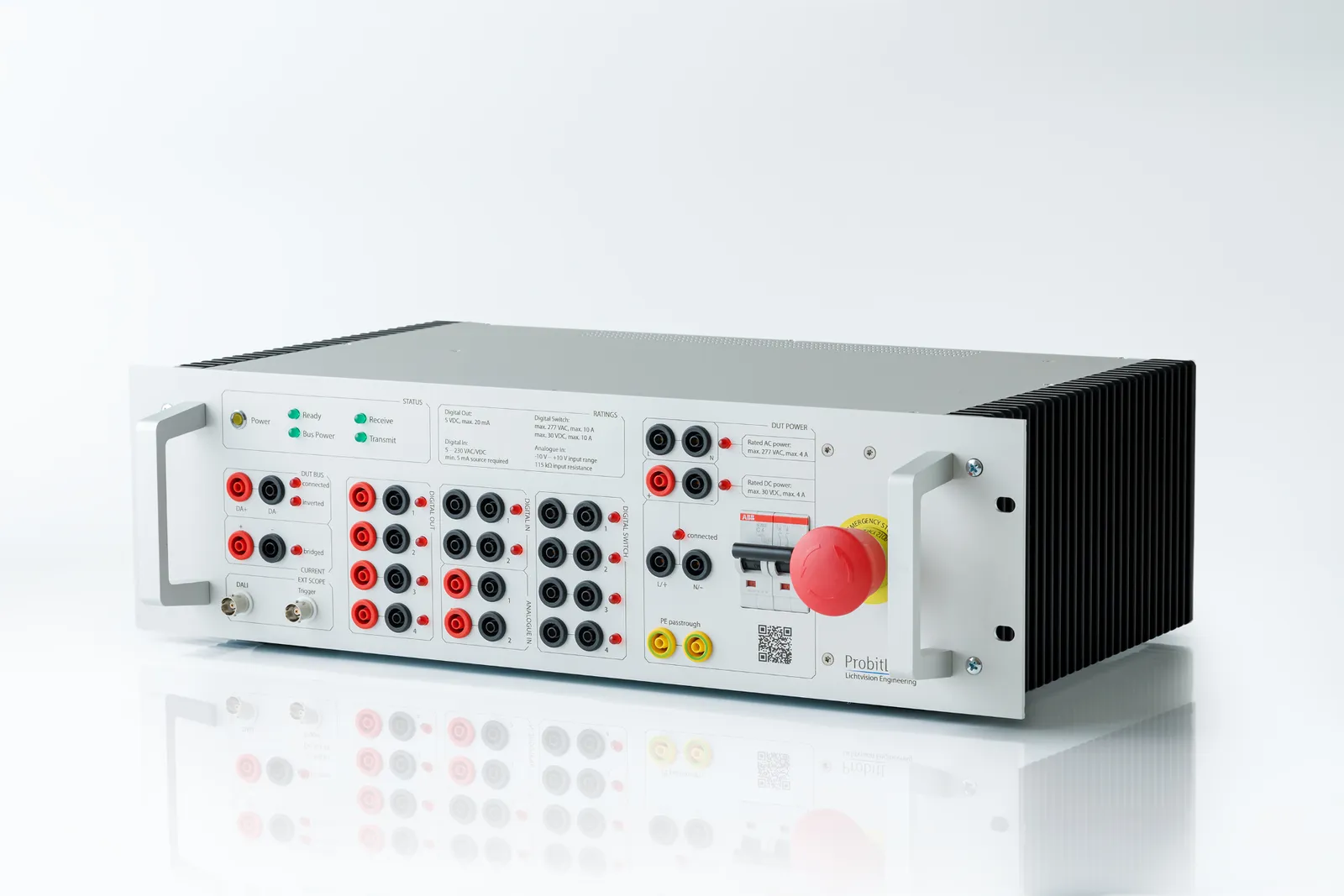
We verify DALI products to the IEC 62386 standard right here in our lab. Our ProbitLab2 test system from Lichtvision Engineering exercises a device against the standard's full command set and timing — so we can confirm compliance and cross-brand interoperability before a product ever reaches a project.
Commissioning experience since 1989, distilled into practical guidance for designers and installers.
Most fluorescent types dim well but need a 100-hour run-in at full intensity first. Once run in, dimming from 1% to 100% generally has no negative impact on life expectancy.
The 64-device maximum per line is exactly that — a maximum. Plan for around 50 devices per line to leave room for changes. Controllers and peripherals need no addresses.
Mark DALI addresses on plans logically — consecutive addresses per room ease maintenance. Require as-installed drawings with addresses and groups at handover.
Minimum 1mm² conductor, maximum 2VDC drop. Keep DALI cabling 150mm+ from high-current AC. 1mm² runs to 170m; 2mm² to 670m.
The intent of the DALI standard is that compliant devices work perfectly well together. Mixing ballasts, controllers and sensors across brands is encouraged.
Devices “talk” by shorting the DALI line to the specified 250mA maximum. Don't parallel supplies — choose one approaching 250mA for future capacity.
A five-step verification process from Lance Stewart to prove a line before you connect controllers.
Verify every lamp works. No special tools required.
Confirm DALI cables are voltage-free with controllers and supplies disconnected.
Test output — nominal 16Vdc, min 9.5V, max 22.5V. Drop from supply to line end under 2Vdc.
Run continuous MIN/MAX; all expected lights should fade together, within the 64-device max.
Randomly address all devices and compare against your documentation. Match? Connect the controllers.
If it all checks out, connect the controllers to the lines — you've done your BIT.
We regularly train integrators, contractors and asset owners to design, commission and run our controls with confidence.
Ask us for training to make your next project a breeze! Book training
If you can describe it, chances are we've built something like it — or can. Let's talk it through.